

Python Code Node
Configure the Python Code workflow node — script and entry function, pip Requirements, `Initialize the Node`, and main function args, resources, kwargs, and return value.
This guide explains how to configure the Python Code workflow node: writing the script, naming the entry function, listing pip (Python package installer) dependencies, and running Initialize the Node so runs can import those packages.
What the Python Code Node Does
The Python Code node runs a single Python function you define in the node’s Python Code field. It receives data from the previous step in the graph (or from the workflow start), can use workflow resources (databases, buckets, and so on), and passes its return value to the next node.
Add the Node and Open Its Settings
- Open the workflow graph editor for your workflow.
- Add the Python Code component from the palette and place it on the canvas.
- Select the node, then choose Edit on the node’s toolbar. In the drawer, open Node Configuration to edit Python Code, Function Name, Function Parameters, and Requirements.
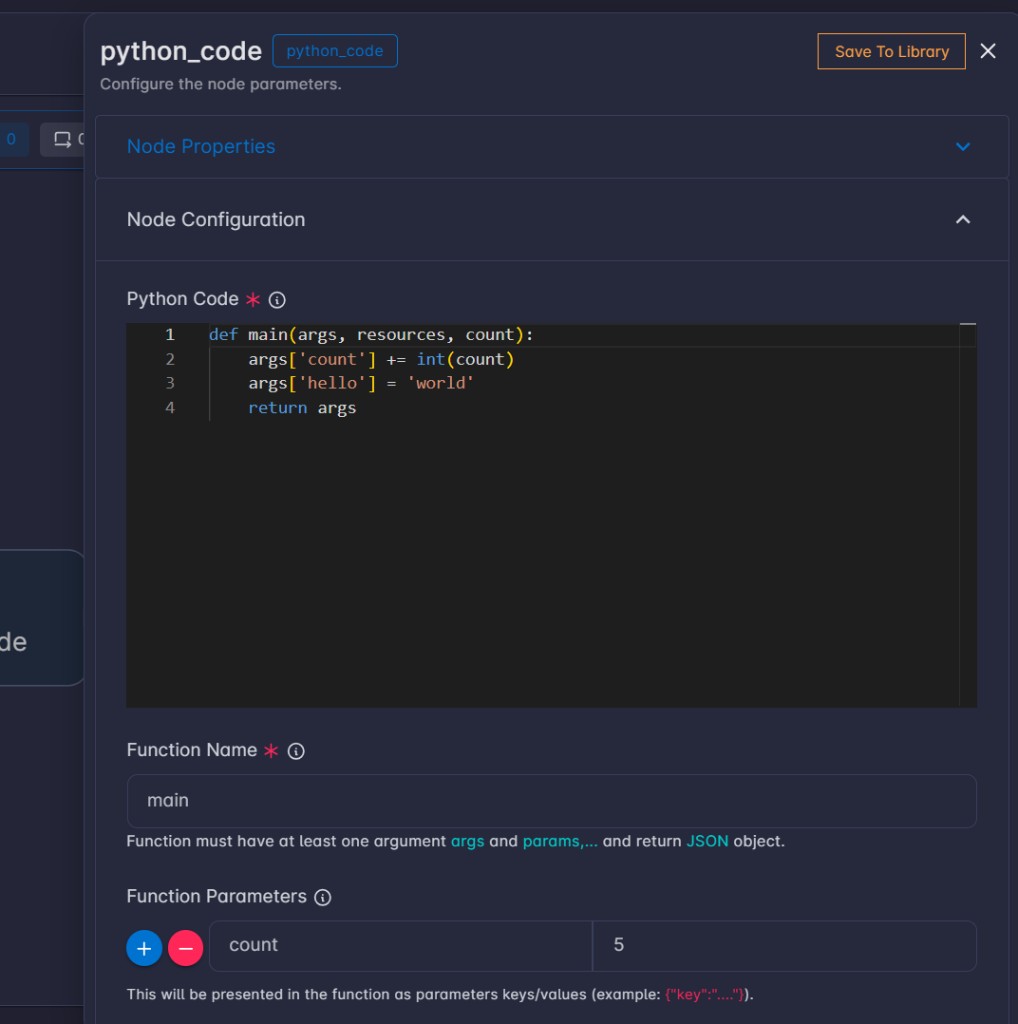
Node Configuration Fields
Python Code
Your full Python source. It must define the function whose name you set in Function Name (for example main). The editor is the main place you write imports, helpers, and that entry function.
Function Name
The name of the function the workflow should call (default: main). It must exist in Python Code and be callable.
Function Parameters
Optional key / value rows. Each key is the keyword argument name in your function (alongside args and resources). Set the value for each row in the form; both are passed into the run as you configured them.
Requirements
Optional pip dependencies, one package (or requirement line) per line, for example:
requests
pandas
numpy>=1.24
Use the same forms you would use in a requirements file (package names, optional version specifiers). Lines that are empty or only whitespace are ignored. If you change this list, run Initialize the Node again so the environment is updated before you rely on new packages.
How to Write Your Function
The platform calls your function with:
args— The payload from the previous node in the graph (or the data coming from the start of the workflow). Treat it as structured, JSON-like data (typically a mapping you can read with.get()).resources— Access to workflow resources by the resource id you configured on the workflow. Useresources.get("your_resource_id").- Keyword arguments from Function Parameters — Same names as the keys you added in the form.
Your function should return a value that can be serialized as workflow output (for example a dict, list, or simple values). Downstream nodes receive that return value as their input.
Minimal example:
def main(args, resources):
    name = args.get("name", "world")
    return {"message": f"Hello, {name}!"}
Example with a Function Parameter whose key is threshold:
def main(args, resources, threshold):
    limit = float(threshold)
    count = len(args.get("items", []))
    return {"count": count, "above_limit": count > limit}
Dependencies (pip)
- List packages in Requirements, one per line.
- Save the workflow.
- Use
Initialize the Nodeso those packages are installed for this node’s runs.
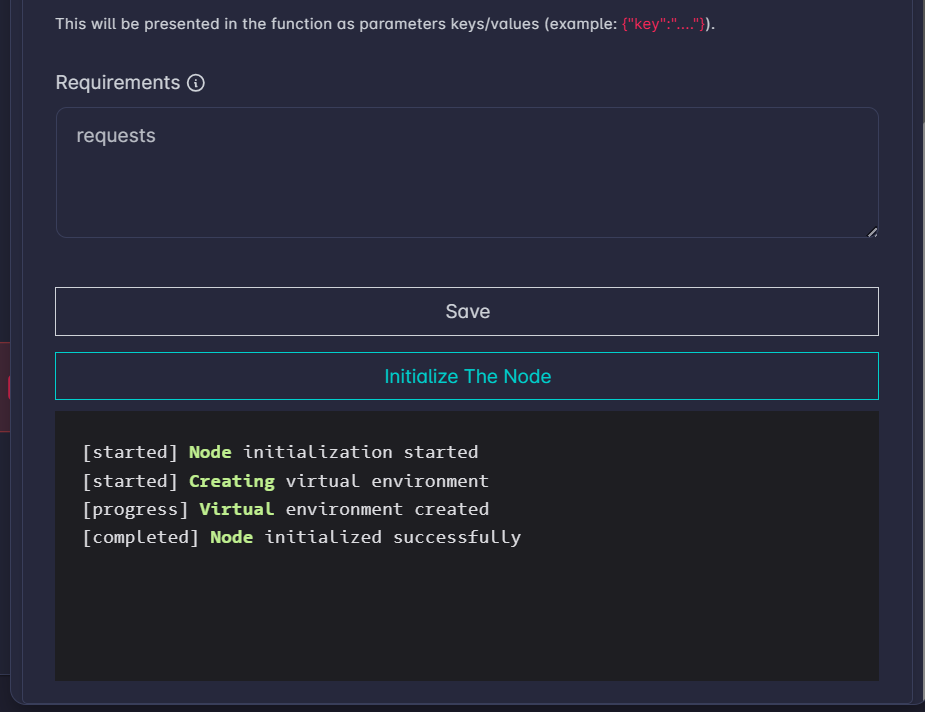
If a run fails with an import error for a package you added, confirm the package line is correct and that initialization completed without errors.
When to Run It Again
Run Initialize the Node again whenever you change Requirements, or when initialization previously failed and you have corrected the problem.
Internet Access Required: This feature requires Internet access so the system can download the dependencies.
Workflow Control Components
Use Fan Out and Fan In and Split and Merge to run parallel work and join results—wiring, configuration, and permissions.
Workflow Conditional Paths
Branch workflows with Switch (true/false) and Mapping (ordered rules and default); configure conditions using args from the previous step.