

CasesCase Management
Reports
Generate, upload, preview, approve, and download case reports.
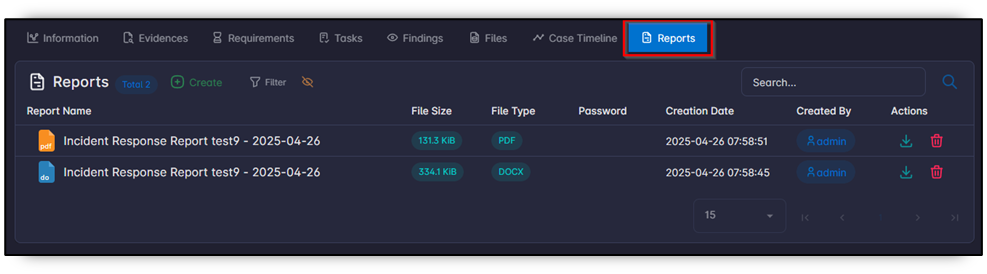
Reports stores files produced from case data or uploaded from outside SandsBytes.
Generate a report
- Click Create.
- Select a template from Settings → Templates.
- Enter a report name. A password is optional. The name can use Jinja syntax.
- Submit. Generation is asynchronous.
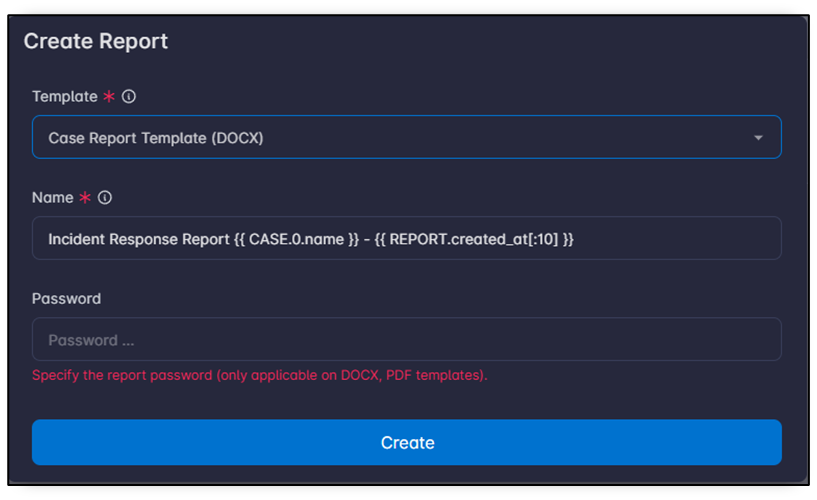
Shipped templates include PDF and DOCX, including Arabic variants. Category is CASE_REPORT.
Other actions
| Action | Purpose |
|---|---|
| Show | Preview a stored report. |
| Upload | Attach a report produced outside SandsBytes. |
| Download | Save the file locally. |
| Approved | Mark the report as reviewed. |
Columns include type, password, size, and author.
See Generate a report and Templates.