

Get Started
Process a triage package
Upload artifacts into a case and run parsers so the records become searchable in Hunt.
A triage package is the container for artifacts you process together. Processing turns files into hunt records.
Prerequisites
- An existing case. See Create a case.
- Relevant parsers installed on Parsers. Selecting every parser is safe: a parser that finds no matching files skips them.
Upload and process
- Open the case from Cases.
- In Investigation Hub, open Upload & Process.
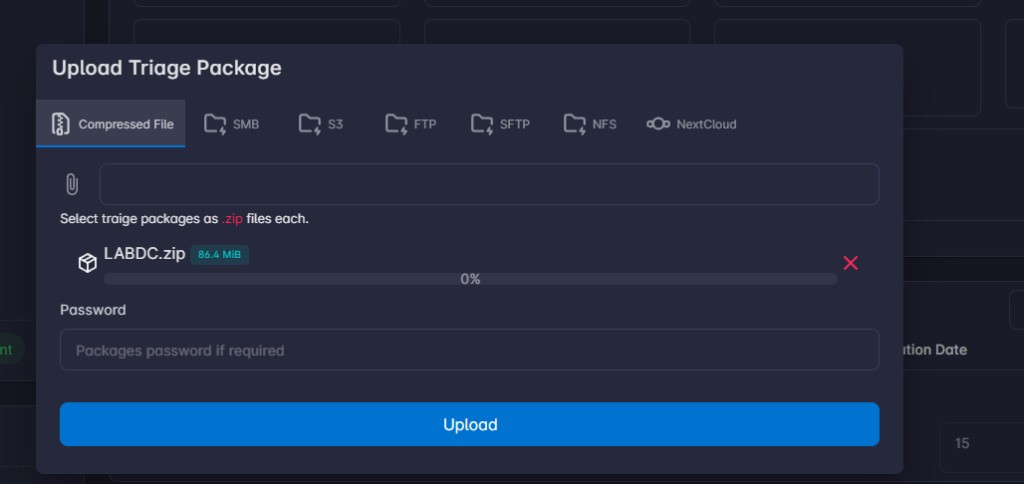
- Choose a data source:
| Source | Use when |
|---|---|
| Compressed File | You have a .zip, .tar, .tar.gz, .tgz, .tar.bz2, .7z, or .rar archive. Optional password. |
| SMB, Amazon S3, FTP, SFTP, NFS, NextCloud | The artifacts stay on a remote share. |
- Choose Upload Package Only to store the package, or Upload & Process to continue.
Do not close the page until the upload progress bar finishes.
- On Configure Parsers, select the parsers to run, or select all.
- On Configure Enrichers, select enrichers to run with the parsers. You can skip this step and run lookup enrichers later.
- Watch Processing, then Done.
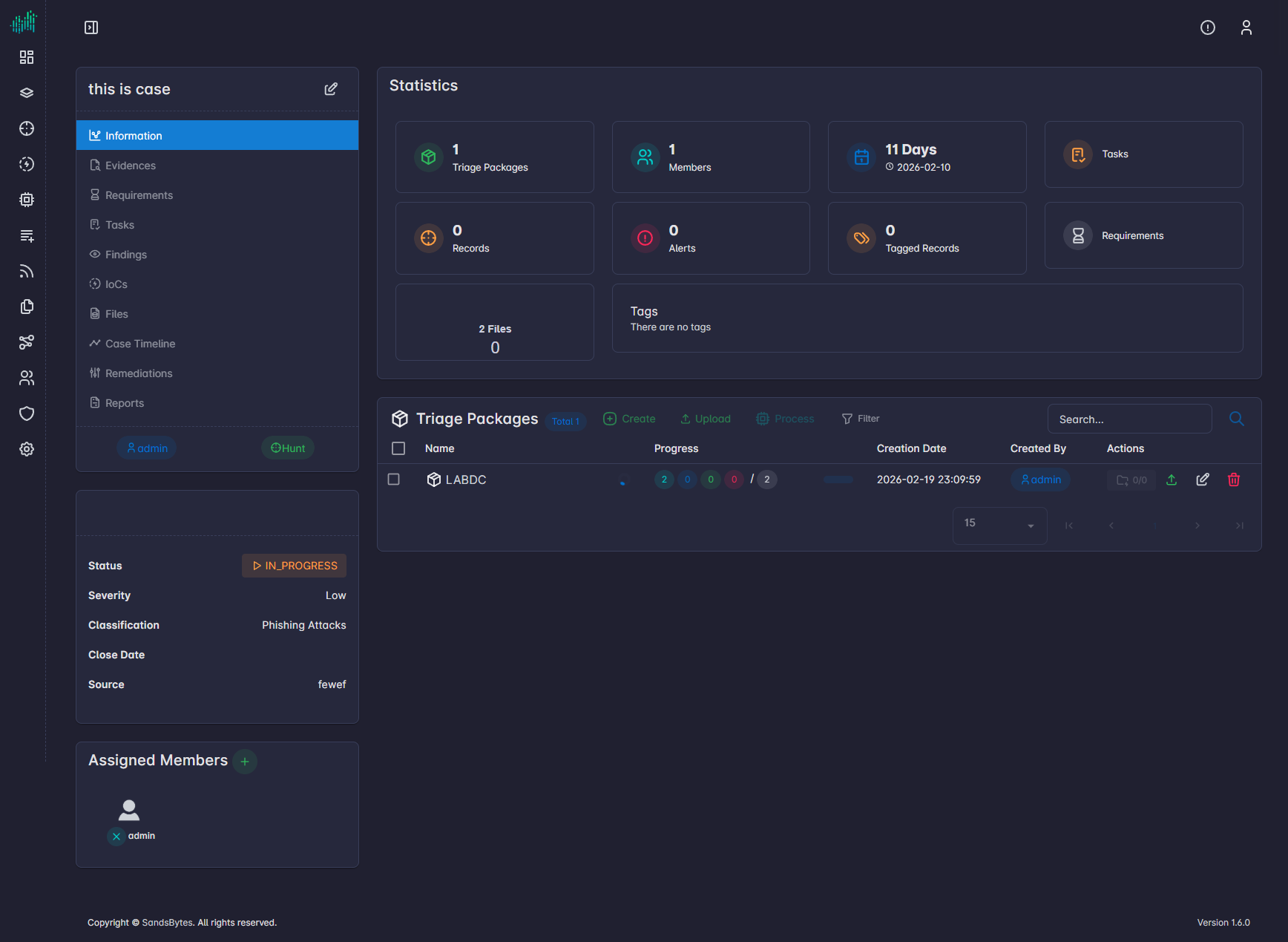
You can start the same flow from Triage Packages → Create.
File status
Each row is a file–parser pair, not the package as a whole.
| Status | Meaning |
|---|---|
| Pending | Queued for a worker. |
| Running | The parser is reading the file. |
| Done | Records are indexed and available in Hunt. |
| Failed | The pair failed. Open the processed-file details and the parser logs. |
Where to watch progress
| Tab | What it shows |
|---|---|
| Triage Packages | Package-level pending, running, done, and failed counts. |
| Processed Files | One row per file–parser pair. |
| Processing Runs | One row per run, with duration and counts. |
| Lookup Enrichments | Lookup enricher runs after records exist. |
Data path
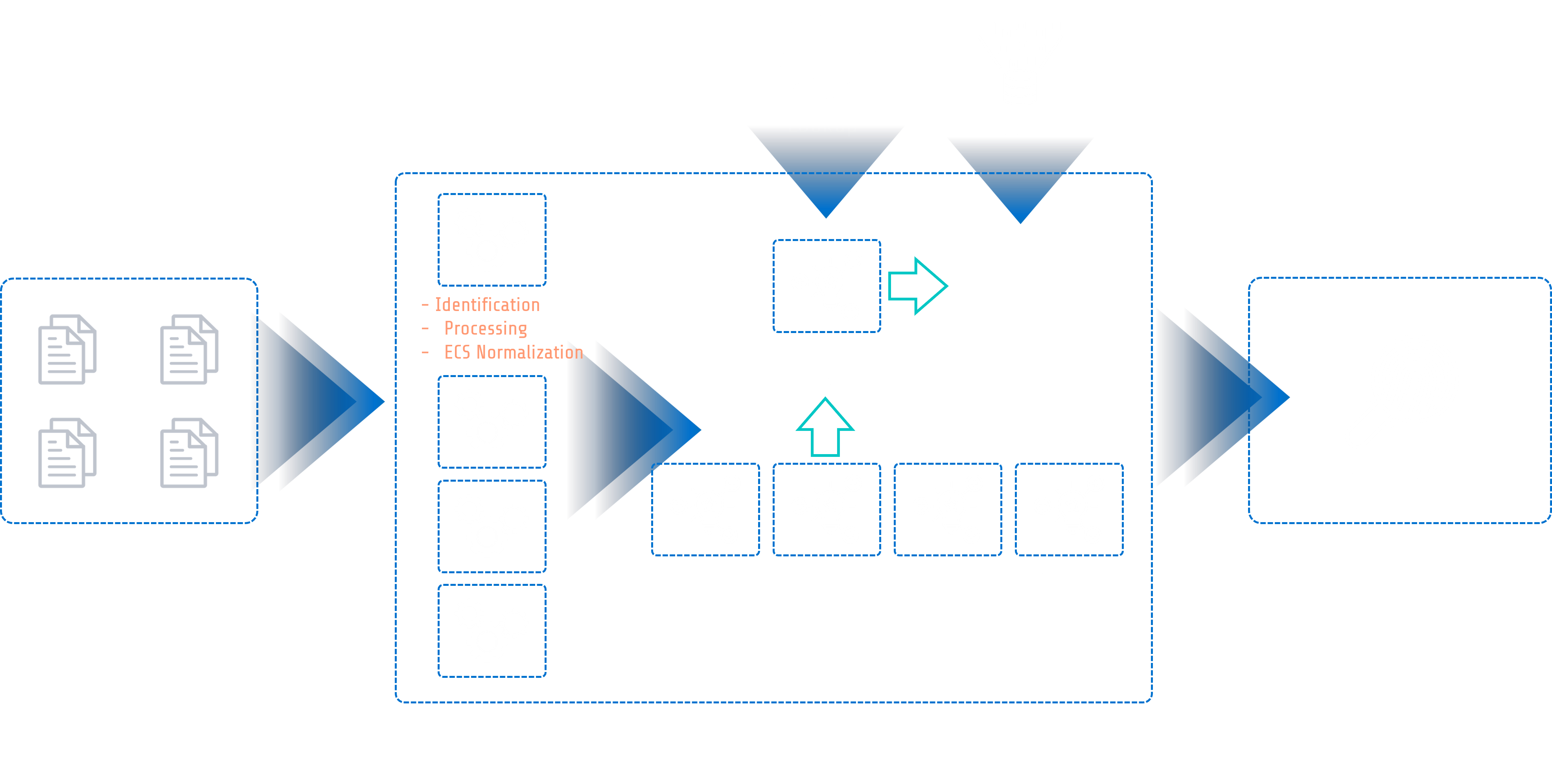
- Ingest the archive or remote share.
- Parsers extract records.
- Records are normalized and indexed.
- Hunt and enrichers can use the records.