

Upload & Process
Five-step wizard to ingest a package and run parsers and enrichers.
Upload & Process is the Investigation Hub wizard. The steps are Data Source, Configure Parsers, Configure Enrichers, Processing, and Done.
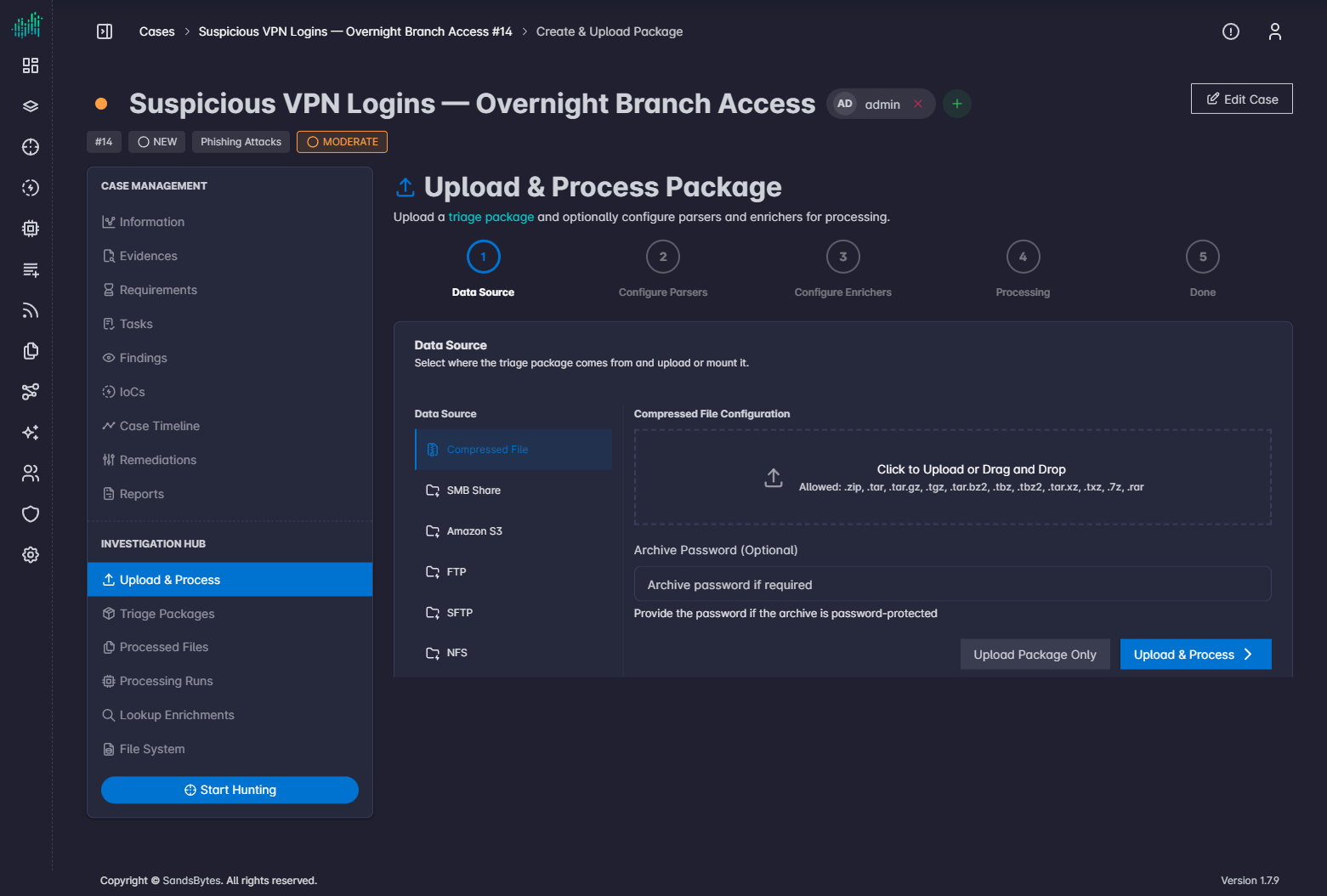
Data Source
Choose how artifacts arrive:
| Source | Notes |
|---|---|
| Compressed File | .zip, .tar, .tar.gz, .tgz, .tar.bz2, .tbz, .tbz2, .tar.xz, .txz, .7z, .rar. Optional archive password. |
| SMB Share | Remote Windows share. |
| Amazon S3 | Object storage. |
| FTP / SFTP | File transfer. |
| NFS | Network file system. |
| NextCloud | NextCloud share. |
Upload Package Only stores the package. Upload & Process continues through parser and enricher selection.
Do not close the page until upload progress completes.
For remote shares, the SandsBytes host must reach the share, and the credentials must be read-only. Do not leave a remote share mounted after processing.
Configure Parsers
Select one or more parsers, or select all. A parser that finds no matching files skips them. Selecting all does not by itself slow the run.
Configure Enrichers
Select enrichers to run with this processing run. You can skip this step and run lookup enrichers later from Lookup Enrichments.
Processing and Done
Watch pending, running, done, and failed counts. When the run reaches Done, records are available in Hunt.