

CasesCase Management
Tasks
Assign investigation work on a Kanban board.
Tasks is a board with four columns: To Do, In Progress, Done, and Waiting.
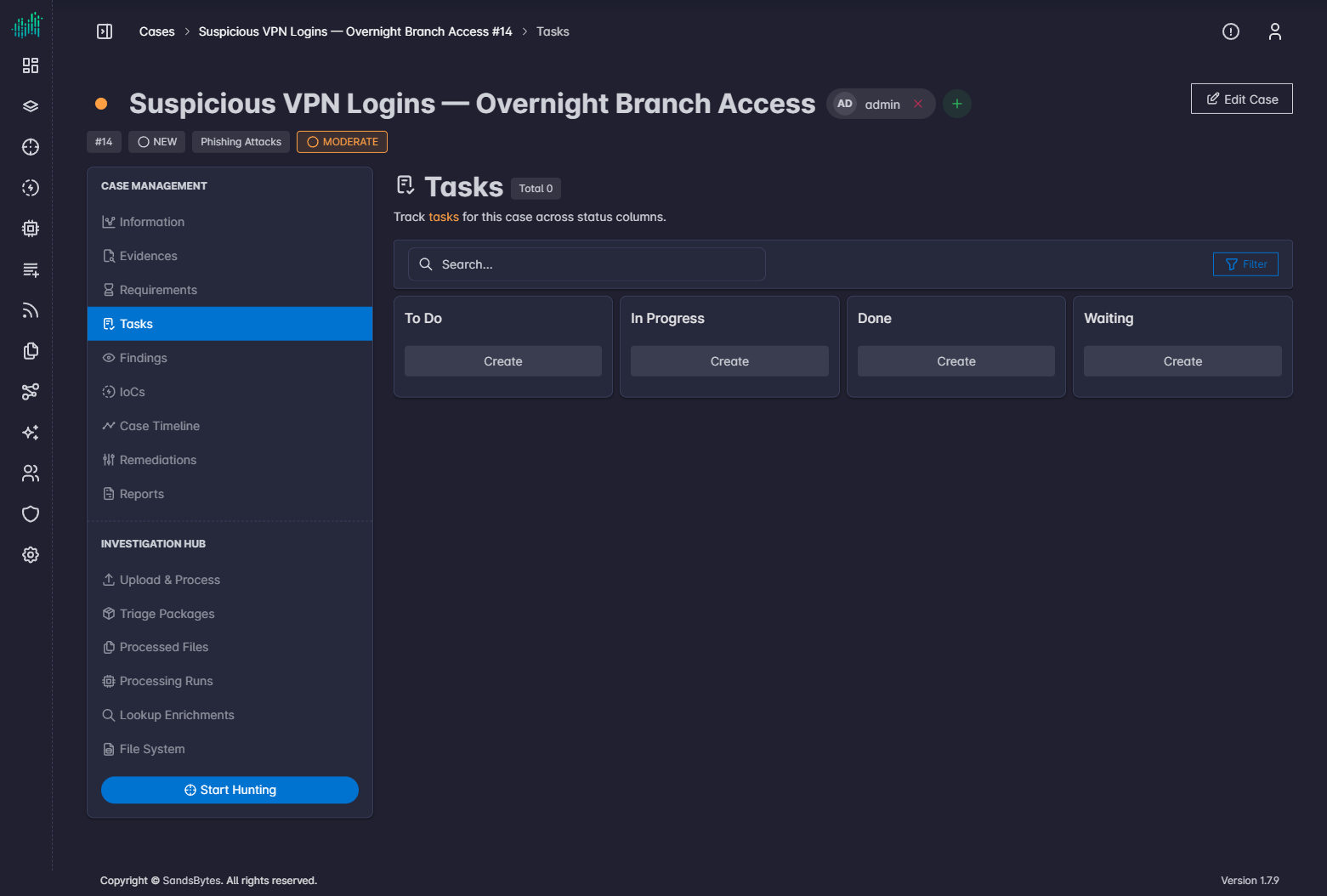
Each card shows the title, due date, and assigned users.
Create a task
- Open Tasks.
- Click Create on the column where the task should start.
- Fill the form, including assigned users.
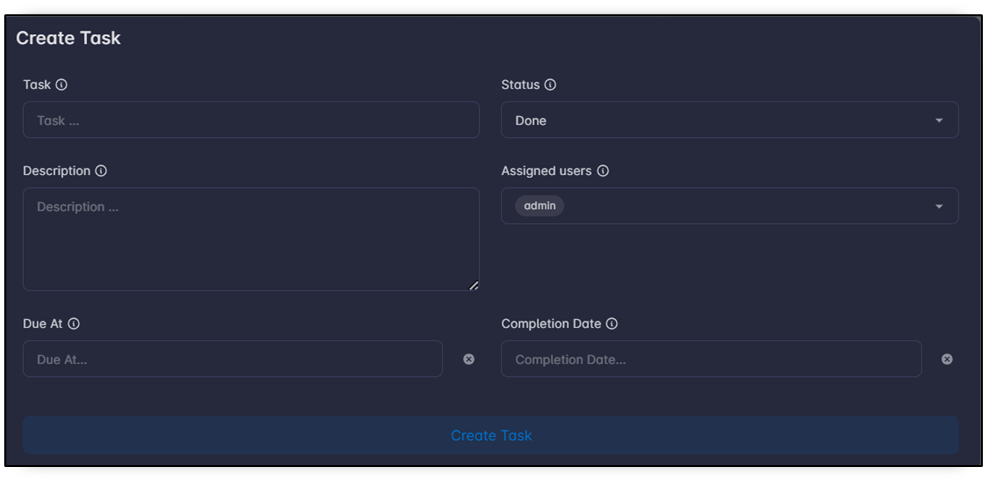
The assigned-users list only includes members already on the case. Assign the user in the case header first.
- Save.
Move cards between columns as work progresses. Fields follow the Tasks form layout, including custom fields.