

CasesCase Management
Information
Case summary, custom fields, and processing statistics.
Information is the default tab when you open a case. It sits under Case Management.
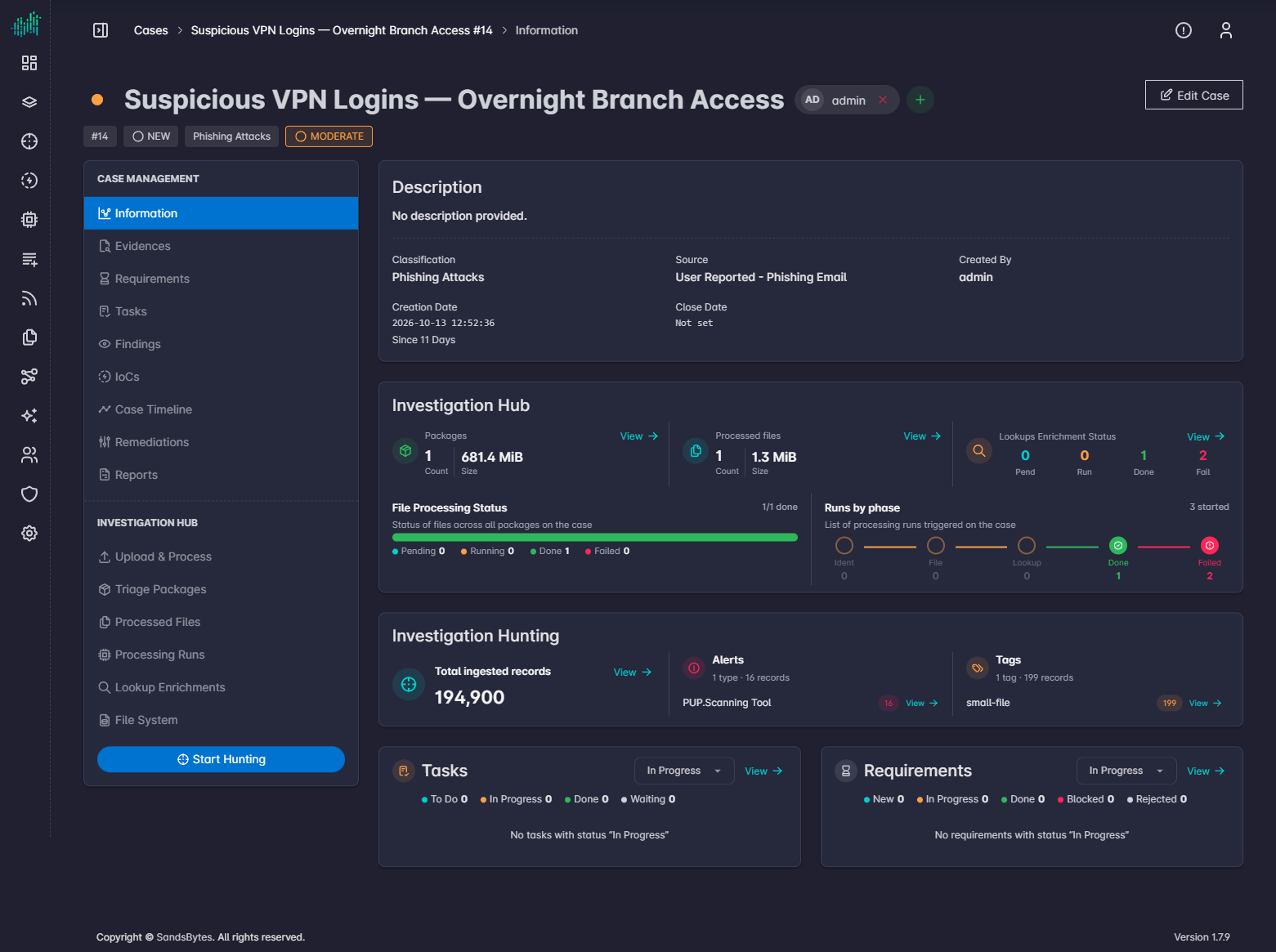
Header
The header shows:
- Case name
- Assigned members and the add-member control
- Edit Case
- Case id, status, classification, and severity
Description and fields
The main pane shows the case description and the standard plus custom fields from the Cases form layout. Typical standard fields include classification, source, created by, creation date, and close date. Custom fields (impact, CERT invoked, chain of custody, and similar) come from Settings → Forms.
Statistics
Information also summarizes investigation progress:
| Area | What you see |
|---|---|
| Packages | Uploaded triage packages. |
| Processed files | File–parser outcomes. |
| Lookup status | Lookup enrichment progress. |
| File processing | Identification, file processing, lookup enrichment, and failed run percentages. |
| Ingested records | Hunt-ready record counts. |
| Alerts and tags | Tags and alerts from processed files. |
| Tasks and requirements | Counts of open work. |
Use View on a statistic card to jump to the matching tab.