

Users and Roles
Users
Create accounts, assign roles, and manage the profile.
Users (/UI/users/list) lists platform accounts.
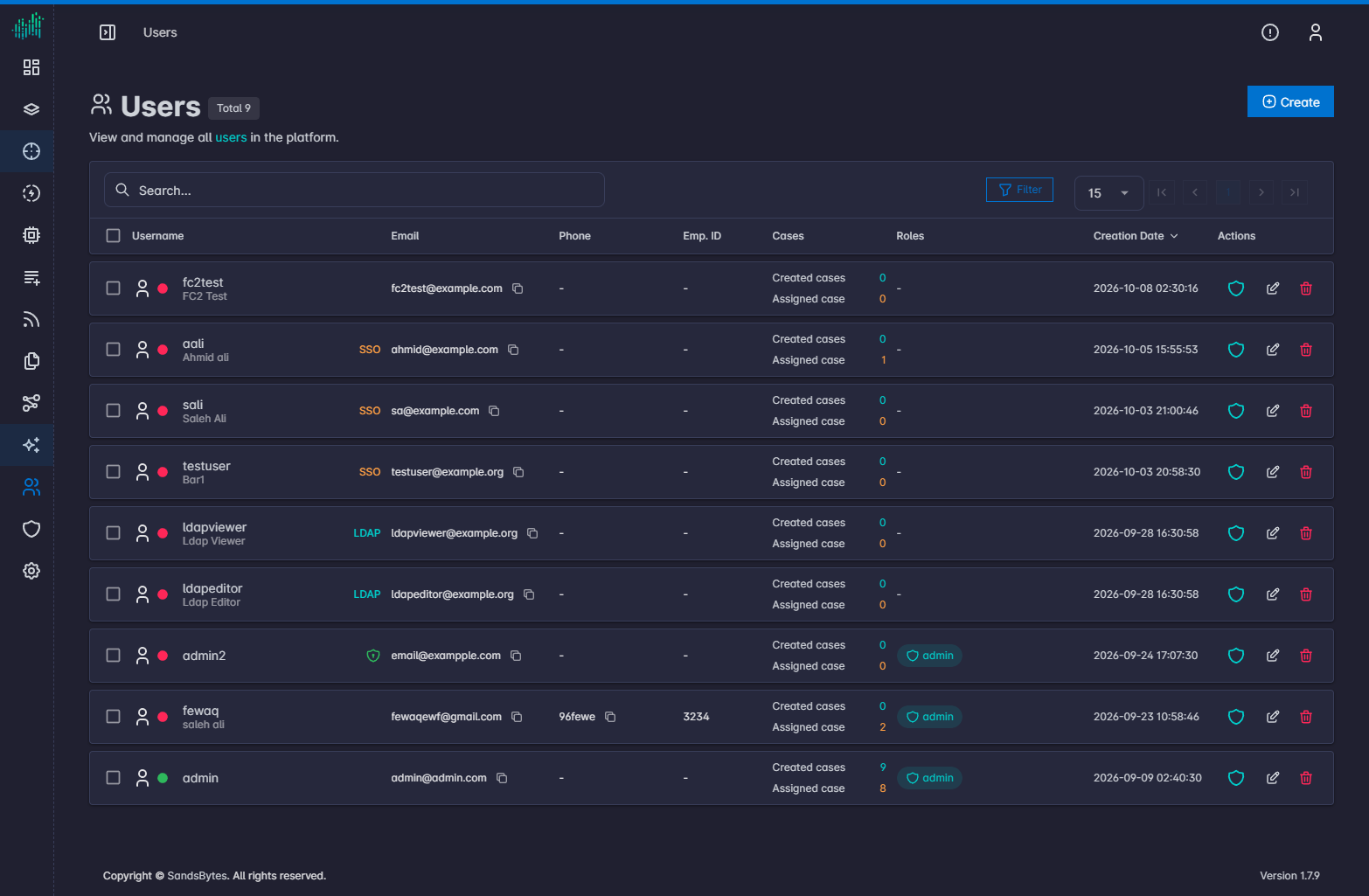
The heading shows Users and the total count.
Columns
Username, Email, Phone, Emp. ID, Cases, Roles, Creation Date, and Actions.
Row actions copy the email address, assign roles, and delete the user.
Create a user
- Click Create.
- Fill the account form.
- Submit.
Password rules:
- At least 8 characters
- At least one number
- At least one special character
- At least one uppercase letter
- At least one lowercase letter
Assign roles
Click Add Role on the user row, select one or more roles, then close the dialog. Each selection is applied immediately.
Directory login and SSO are configured in Settings, not on this form. See LDAP Configuration and SSO Configuration.
Profile
Open profile in the top bar, then Profile.
The profile includes contact details, job information, language, contributions, and skills. Open the Security tab to reset your password.
The same menu opens API Docs.