

Managing parsers
List, create, and install parser packages from the Parsers page.
Managing parsers
Parsers in the sidebar (/UI/parsers/list) is the catalog of packages that turn triage files into hunt records. This page is the operator view. The file layout inside a package is described in Developing.
Parser list
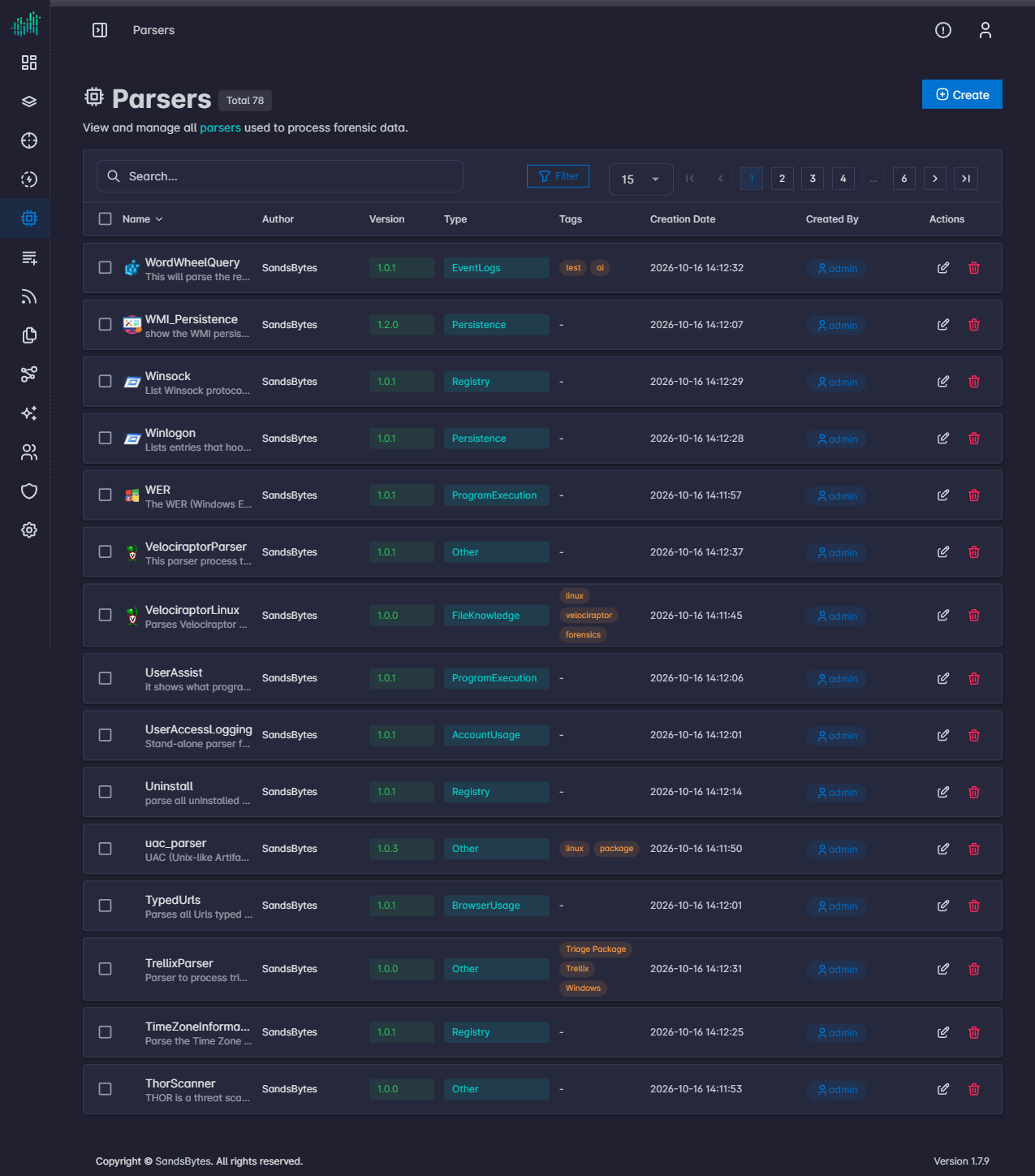
The list supports search, Filter, and paging. Columns are Name (with description), Author, Version, Type, Tags, Creation Date, Created By, and Actions.
Type groups parsers for processing (for example event logs, persistence, registry, or program execution). Other is the default type on the create form. Row actions edit or delete a parser.
You can also install parsers from Settings → Store instead of uploading a zip. See Settings.
Create a parser
Click Create to open /UI/parsers/create.
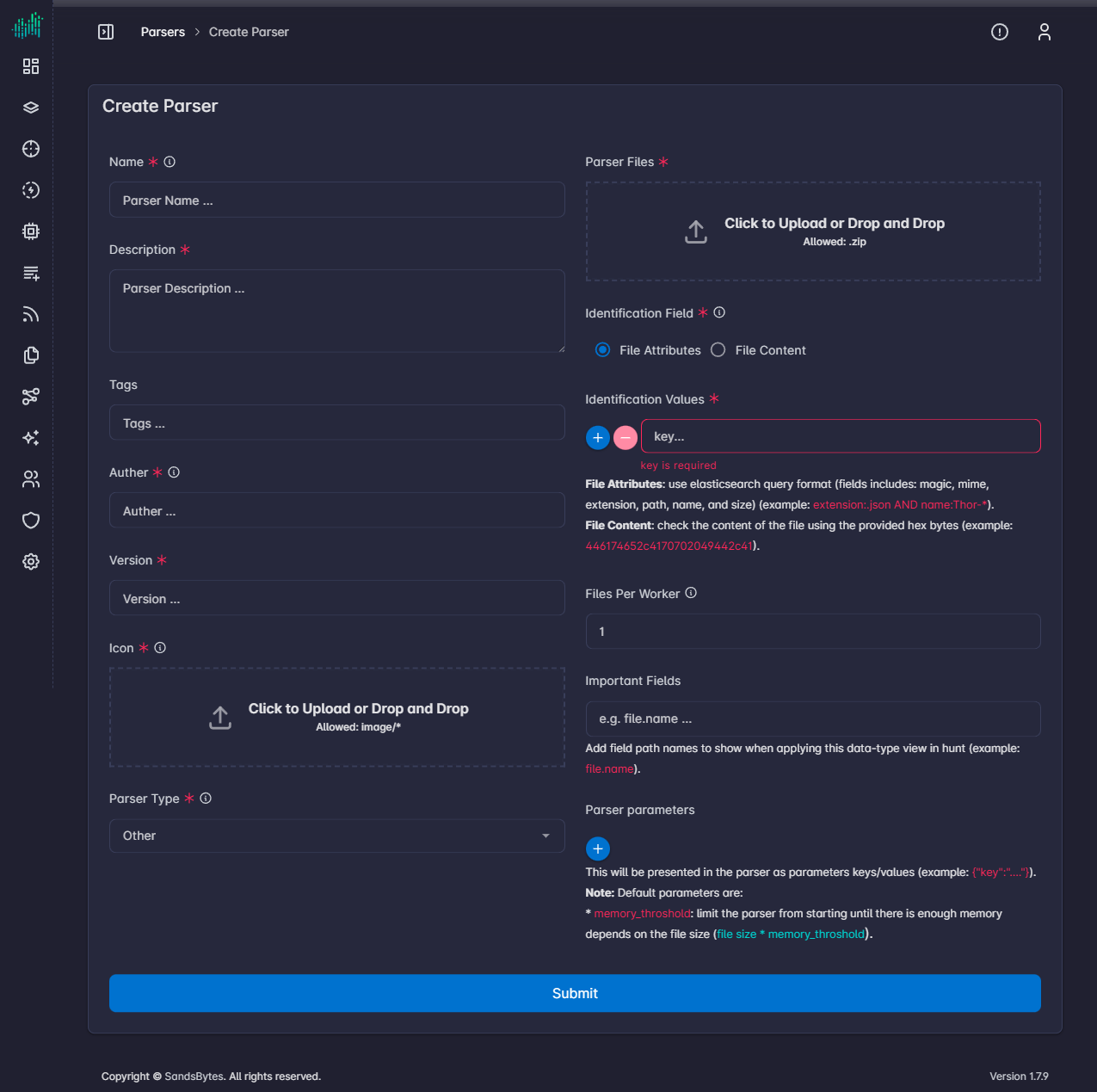
| Field | Purpose |
|---|---|
| Name, Description, Tags | How the parser appears in the list and in processing. |
| Author, Version | Package metadata. The author field is labeled Auther on the form. |
| Icon | Image upload. |
| Parser Type | Category used when you select parsers for a processing run. |
| Parser Files | Zip of the package (requirements.txt, configuration.json, interface.py, and the ECS mapper). |
| Identification Field | File Attributes or File Content. |
| Identification Values | How a file is matched to this parser. |
| Files Per Worker | How many files one worker takes from this parser. |
| Important Fields | Field paths highlighted when this data type is applied in Hunt (for example file.name). |
| Parser parameters | JSON object passed into the parser. |
Identification
- File Attributes is an Elasticsearch query. Fields you can use are
magic,mime,extension,path,name, andsize. Example:extension:.json AND name:Thor-*. - File Content matches the start of the file as hex bytes. Example:
446174652c4170702049442c41.
Parameters
The form notes a default parameter, memory_throshold (spelled that way on the screen). It keeps the parser from starting until free memory is large enough relative to the file size (file size * memory_throshold).
Click Submit to save the parser. It then appears in Upload & Process when you configure parsers for a case.