

Parsers
Customizing & Adding Parsers
How to register your parser and define artifact identification.
Adding a New Parser
To add your parser to SandsBytes, go to the Parsers page from the sidebar then click Create Parser.
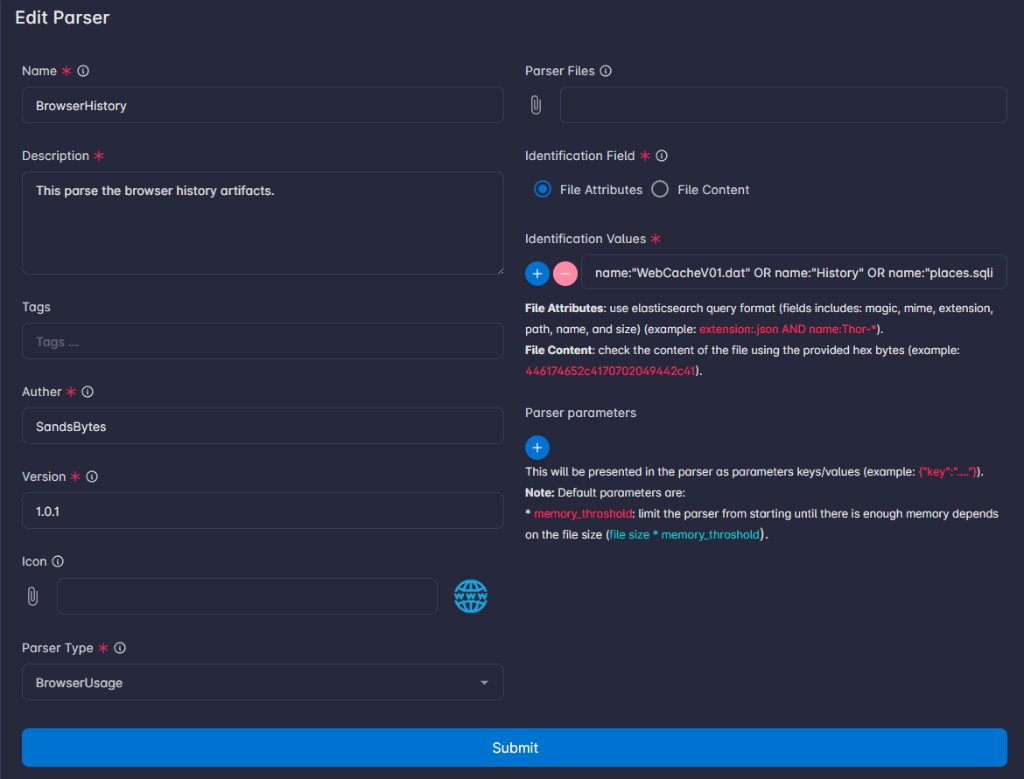
Identification Logic
Define how the system identifies which artifacts your parser should handle:
| Option | Description |
|---|---|
| File attributes | Uses a Lucene query to match metadata such as extension, path, name, mime, or size. |
| File content | Uses a hex string of the file's first bytes (magic bytes) to identify the file type. |
File attributes query example:
name:"WebCacheV01.dat" OR name:"History" OR name:"places.sqlite"Note: Check the SandsBytes Store for new parsers and updates. You can also upload a parser downloaded from a different instance through the Store offline.
Tip: Parsers can be downloaded as ZIP files from one instance (e.g., a lab) and uploaded to another (e.g., production).