

IoCs
Browse indicators of compromise across every case, and inspect aggregated values.
IoCs
IoCs in the sidebar (/UI/iocs/list) lists indicators for the whole platform. Indicators that belong to a single investigation stay on that case's IoCs tab. See Case Management.
The page has two tabs.
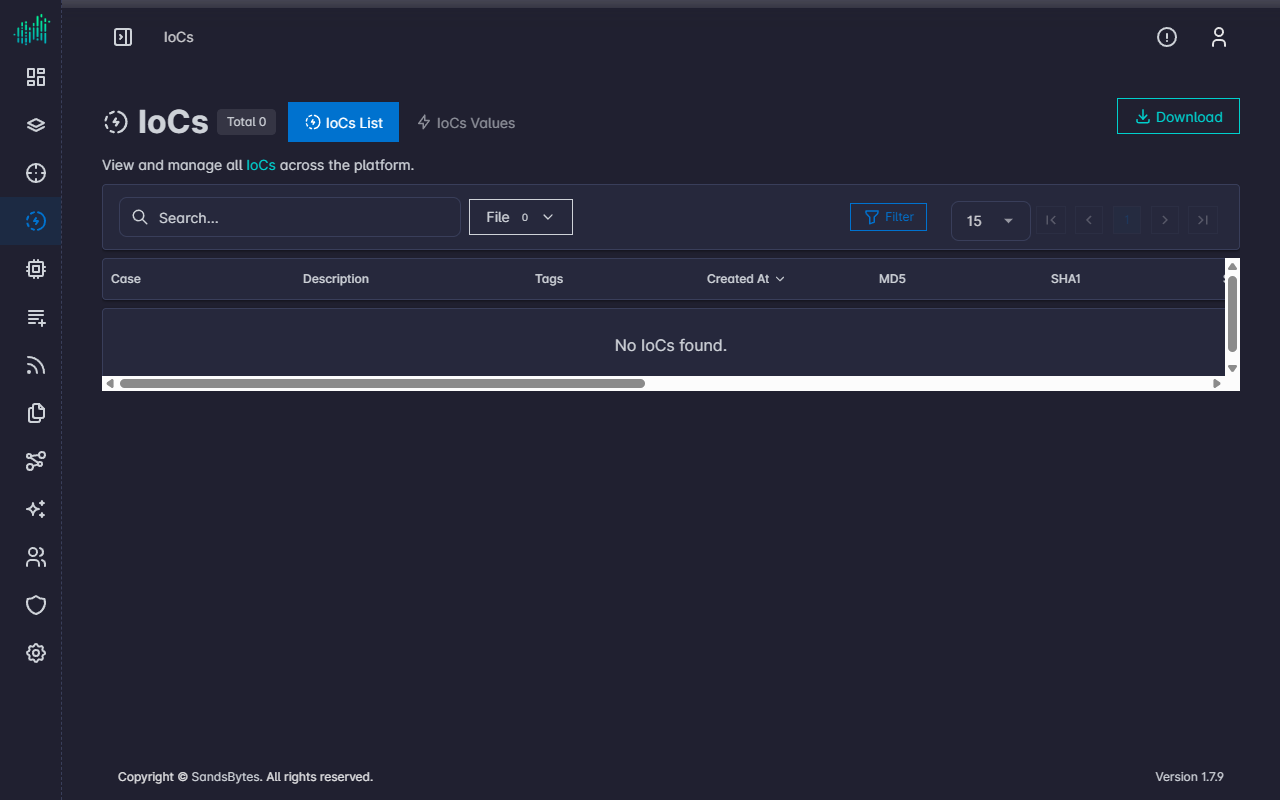
IoCs List
IoCs List is the default tab. Use Download to export the current list, the search box, the type filter (for example File), and Filter to narrow rows.
| Column | Meaning |
|---|---|
| Case | Investigation the indicator belongs to |
| Description | Text stored with the indicator |
| Tags | Tags on the indicator |
| Created At | When the indicator was recorded |
| MD5, SHA1, SHA256 | File hashes when the indicator is a file |
| Filename, File Path, Size | File attributes |
| Hostname | Host the file was observed on |
| Creation Date, Execution Date | File timestamps from the source artifact |
Indicator types shown in the filter are configured under Settings → Fields Options → Iocs.
IoCs Values
IoCs Values groups identical indicator values so you can see how widely a hash, domain, or address appears.
Primary fields:
- MD5
- SHA1
- SHA256
- Domain
- IP Address
Each row shows the value, how many IoC records use it, and how many cases include it. Search and Filter apply to the aggregated list.